Editing Rule Entitlements
You can always change the Rule entitlements for your Rule if you’re the Rule Admin. A Technical or Business rule provides for two roles:
-
Rule Admin: A Rule Admin can change user entitlements, delete a Rule, clone a Rule, edit rule definition apart from being able to Run the rule.
-
Rule Executor: A Rule executor can just run the rule.
Rule Entitlements can be edited:
-
One at a time
-
In Bulk
Editing a Single Rule’s Entitlements
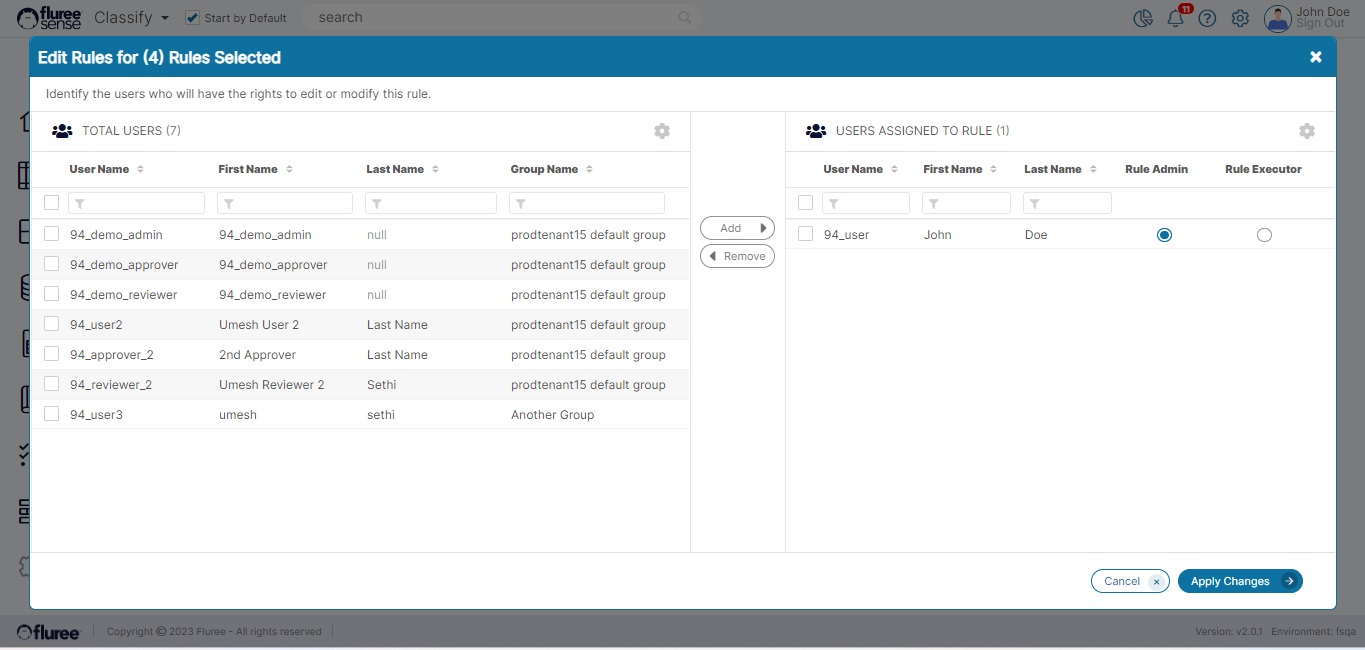
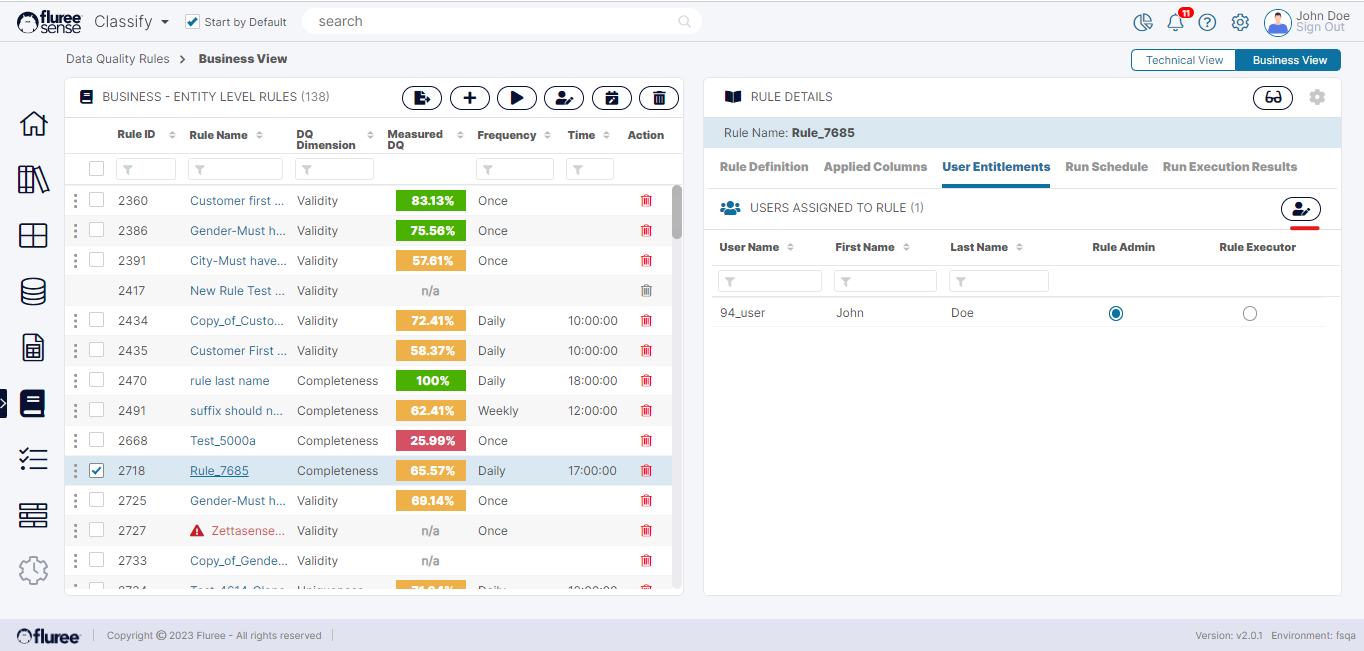
A single rule’s entitlement can be edited from the ‘User Entitlements’ tab pertaining to the rule where a Rule Admin can toggle the entitlements of existing users of the rule. However, the Rule Admin may also want to add or remove existing users. This can be done by clicking the ‘Edit Users’ icon on top-right, just above the entitlements grid. This opens up the full view of user management in a modal where users can be added or removed as well apart from changing the entitlement.
Editing Rule Entitlements in Bulk
The ‘Rule Admin’ can also edit entitlements / add or remove users in bulk for multiple rules. As in the case of other bulk operations, we have the bulk ‘Edit User’ option in the header controls.
The ‘Rule Admin’ just needs to select multiple rules which they want to change entitlements for, press the ‘Edit Users’ icon and make changes in the opened pop-up, finally pressing ‘Apply Changes’ to complete the step.